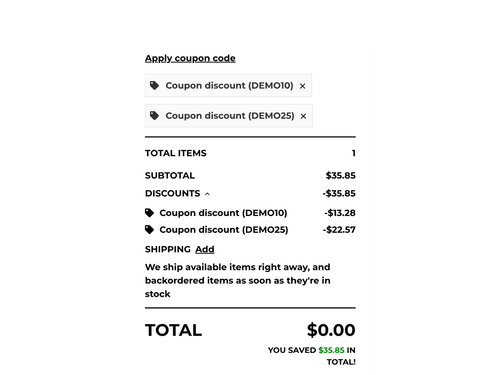
Brick Lane 1.4.0 is now available. This release adds three new features to the theme: BigCommerce Backorders, featured promotion callouts and support for multiple coupon codes.
These additions give customers more information about product availability, make promotions easier to spot and let them manage multiple discounts in the cart.
BigCommerce Backorders
Brick Lane now supports BigCommerce Backorders.
Backorders allow customers to buy products that are out of stock, rather than having to wait for new stock to arrive. You can set how many units are available for backorder and provide an expected shipping date.
The theme displays backorder information on product and cart pages, including:
-
Messages identifying backordered products
-
Backorder quantities and availability
-
Expected shipping information
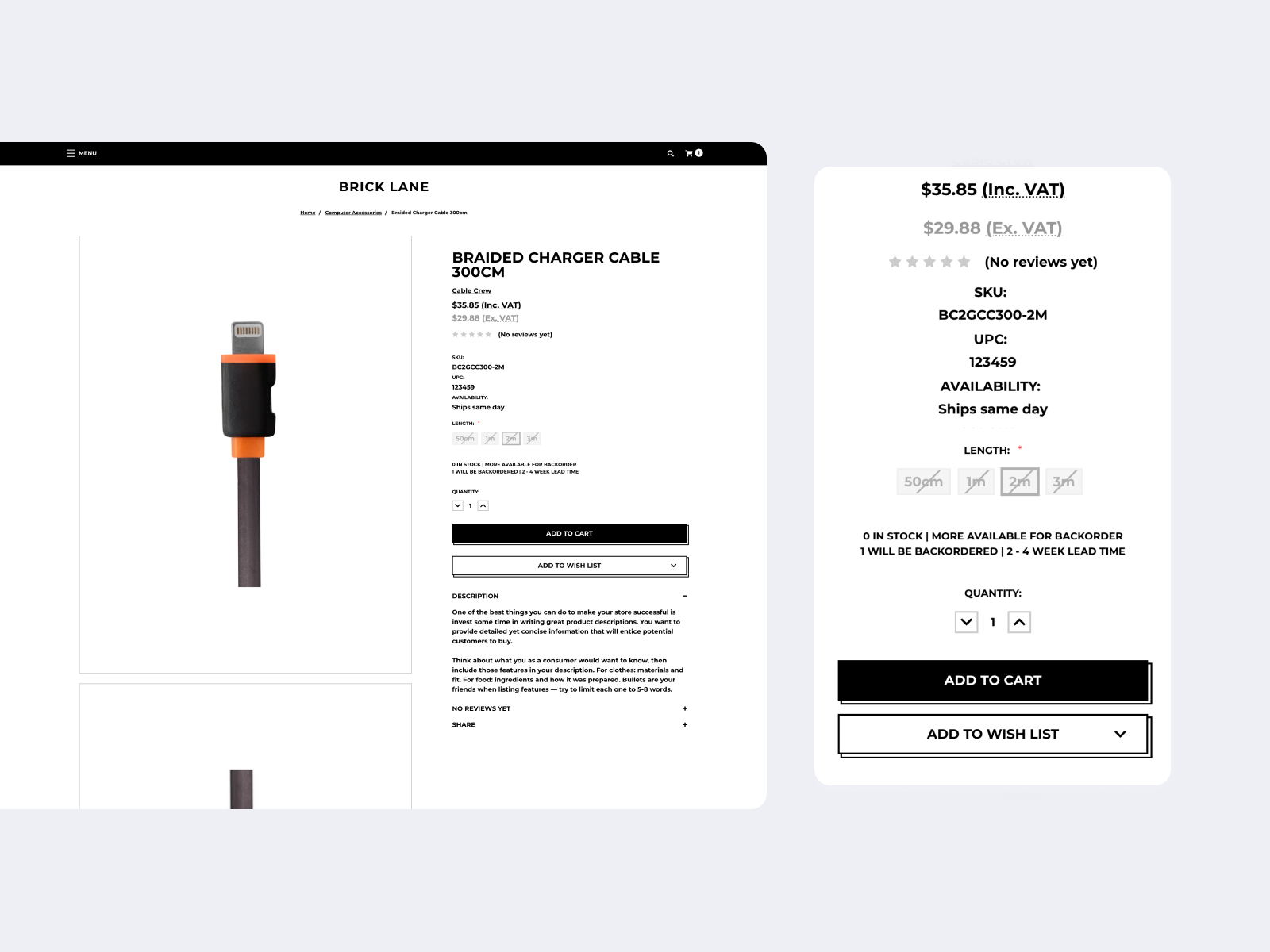
Customers can see when an out-of-stock product is still available to order and when they can expect it to ship.
You can find out more in the BigCommerce Backorders guide.
Featured promotion callouts
You can now use featured promotion callouts on product listing pages and product pages.
New theme settings let you control whether the callouts are displayed and choose the colours used to highlight them.
This gives you another way to draw attention to promotions while customers browse your store.
For more information, see BigCommerce's guide to featuring promotions.
Multiple coupon codes
Brick Lane now supports multiple coupon codes in the cart.
A new coupon management section lets customers add and remove codes directly from the cart. We've also updated the cart totals to make it easier to understand how multiple discounts affect an order.
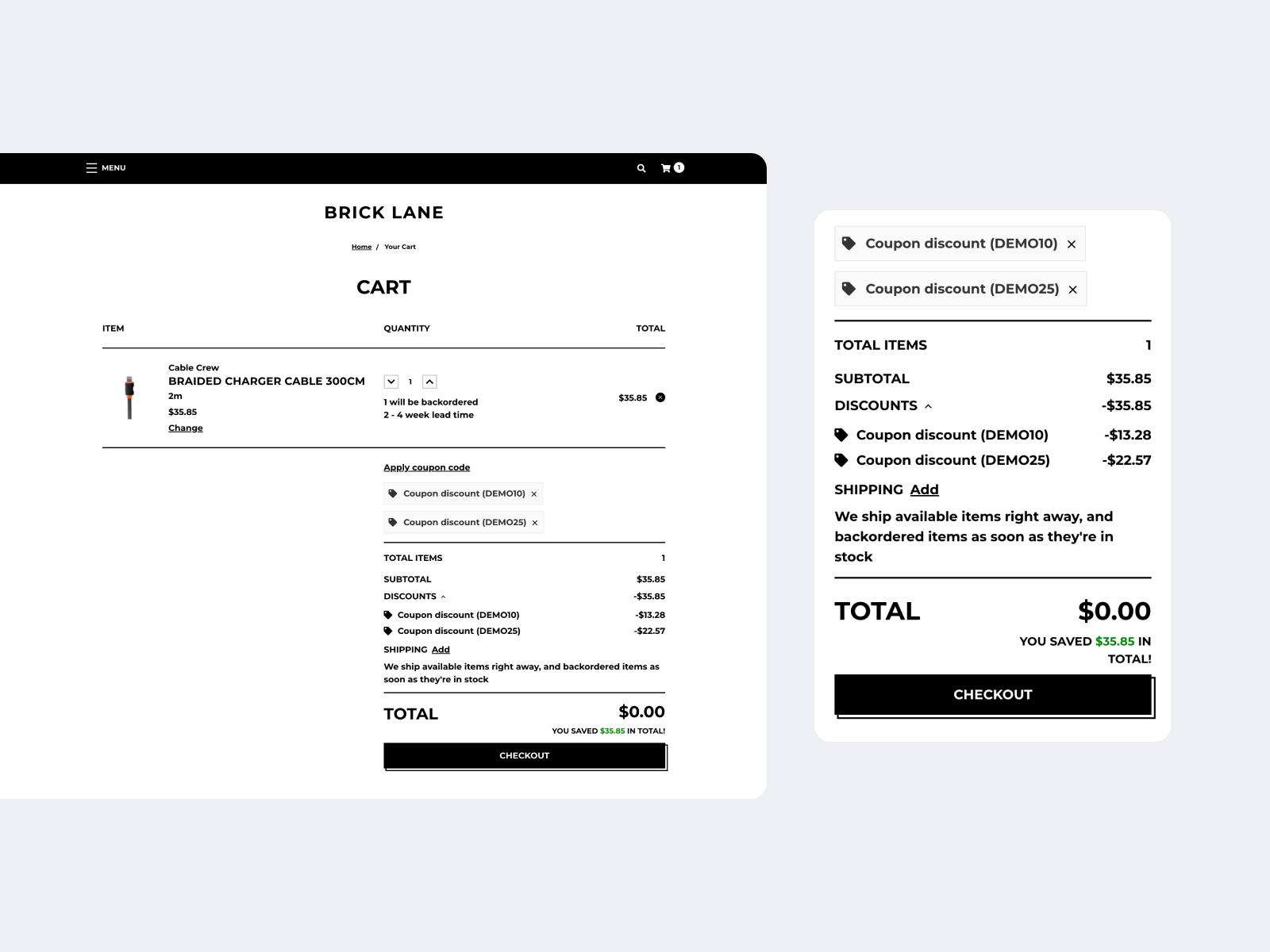
This works with BigCommerce's multi-coupon support for the cart and checkout.
You can read more about the feature in BigCommerce's article on multi-coupon support.
See the full Brick Lane changelog for all changes.
Updating Brick Lane
Brick Lane 1.4.0 is available now.
If you use an unmodified Brick Lane theme, you can update to the latest version from your BigCommerce control panel.
If you've made changes to your Brick Lane theme, the customisations will need to be re-applied to a new copy of the updated theme.
If you're not sure how to do this, our Modified Theme Update service can take care of the update for you.
Looking for a new theme? View Brick Lane to explore its features and see if it's right for your store.