
Covent Garden 2.13.0 is now available. This release adds three useful features: support for BigCommerce Backorders, featured promotion callouts and multiple coupon codes.
We've also made a number of improvements to the wishlist and product pages, alongside fixes to order details and checkout.
Support for BigCommerce Backorders
Covent Garden now works with BigCommerce Backorders, allowing customers to order products even when they're out of stock.
You can set how many units are available for backorder and provide an expected shipping date. The theme then displays relevant information on product and cart pages.
This includes:
-
Backorder messages
-
Backorder quantity and availability indicators
-
Expected shipping information
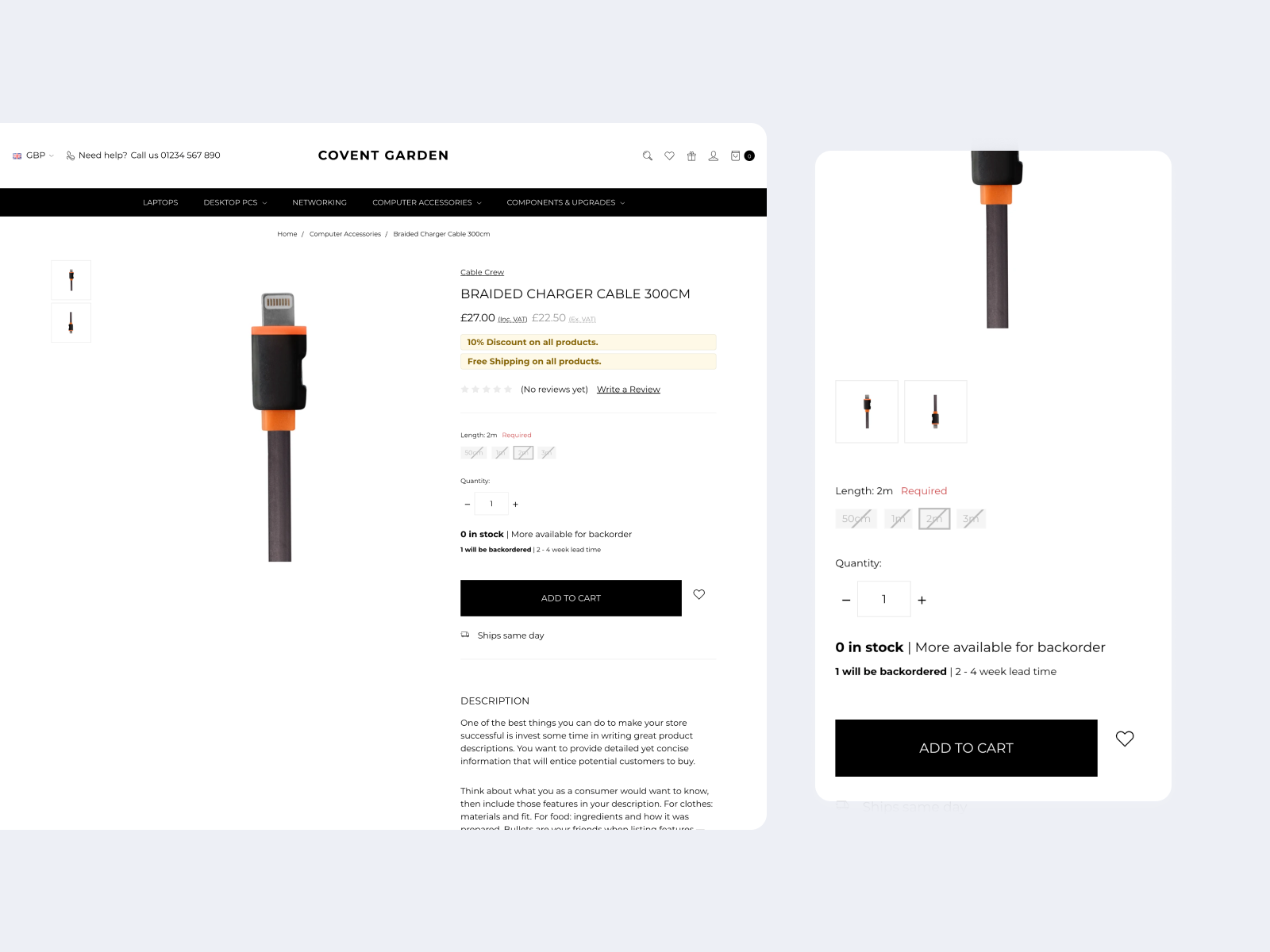
Customers can see that a product is available to order on backorder and get a better idea of when it will be shipped.
Read the BigCommerce Backorders guide to find out more about setting up backorders.
Featured promotion callouts
The latest update adds featured promotion callouts to product listing pages and product pages.
A new theme setting lets you control whether the callouts are displayed, with additional settings to choose their colours.

Use these callouts to make selected promotions more noticeable while customers browse your store.
BigCommerce explains how to set these up in its guide to featuring promotions.
Multiple coupons in the cart
Covent Garden now supports multiple coupon codes in the cart.
Customers can enter and remove coupon codes using the new coupon management section. The cart totals have also been updated to show the effect of multiple discounts more clearly.
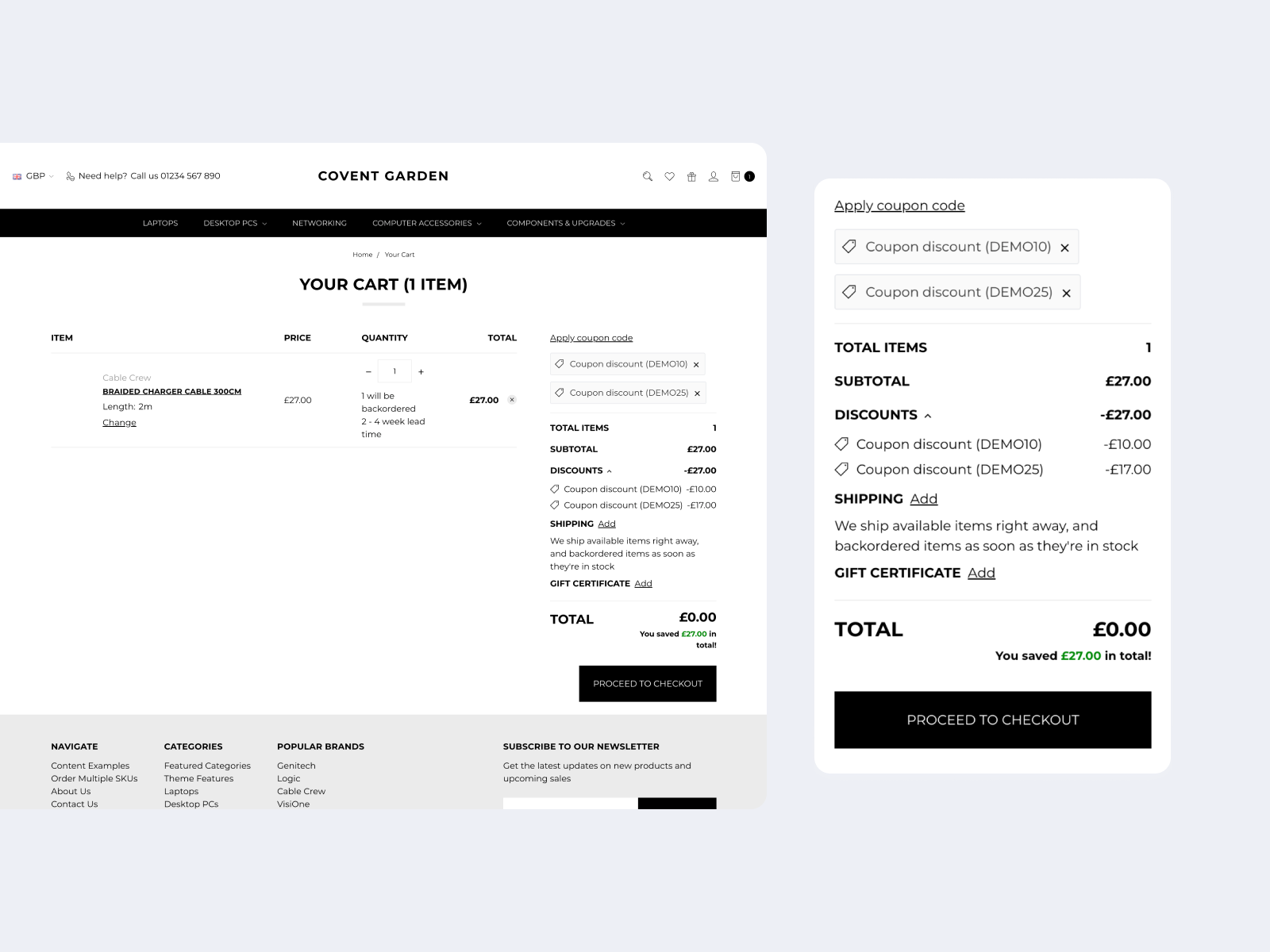
This feature uses BigCommerce's support for multiple coupons across the cart and checkout.
For more details, see BigCommerce's article on multi-coupon support.
Fixes and improvements
This release also includes several fixes:
-
Fixed digital items showing as "Shipped to null" on the Order Details page.
-
Fixed additional checkout buttons not updating after cart changes.
-
Made the "Remove item" button easier to see and use on the wishlist page.
-
Fixed product images appearing too small on some product pages.
-
Corrected the product page thumbnail size setting so it updates thumbnail dimensions.
See the full Covent Garden changelog for the complete list of changes.
Updating Covent Garden
Covent Garden 2.13.0 is available now.
If your theme is unmodified, you can update to the latest version from your BigCommerce control panel.
If you've made changes to your Covent Garden theme, you'll need to re-apply those customisations to a new copy of the updated theme.
If you'd like help with this, our Modified Theme Update service can take care of the update for you.
Looking for a new theme? View Covent Garden to explore its features and see if it's right for your store.