Ichcha wanted a way to motivate shoppers to reach their free shipping threshold. While their store offered free shipping over a certain order value, customers had no visual cue to show how close they were to qualifying — particularly in the mini cart and cart page.
Flair implemented a dynamic free shipping progress bar, helping customers see their progress and encouraging larger orders.
Client: Ichcha
Platform: BigCommerce
Focus: Custom Development
Goal: Encourage higher cart values by showing progress toward free shipping
Challenge
Shoppers often add multiple items to their cart but aren’t aware of how much more they need to spend to qualify for free shipping.
Without clear visual cues, customers had to calculate the remaining spend themselves, which risked abandoned carts or lower order values.
Ichcha needed a solution that:
-
Displayed progress in the mini cart dropdown, cart preview, and cart page.
-
Excluded certain customer groups from seeing the free shipping bar.
-
Allowed the store team to adjust the free shipping threshold in the future if needed.
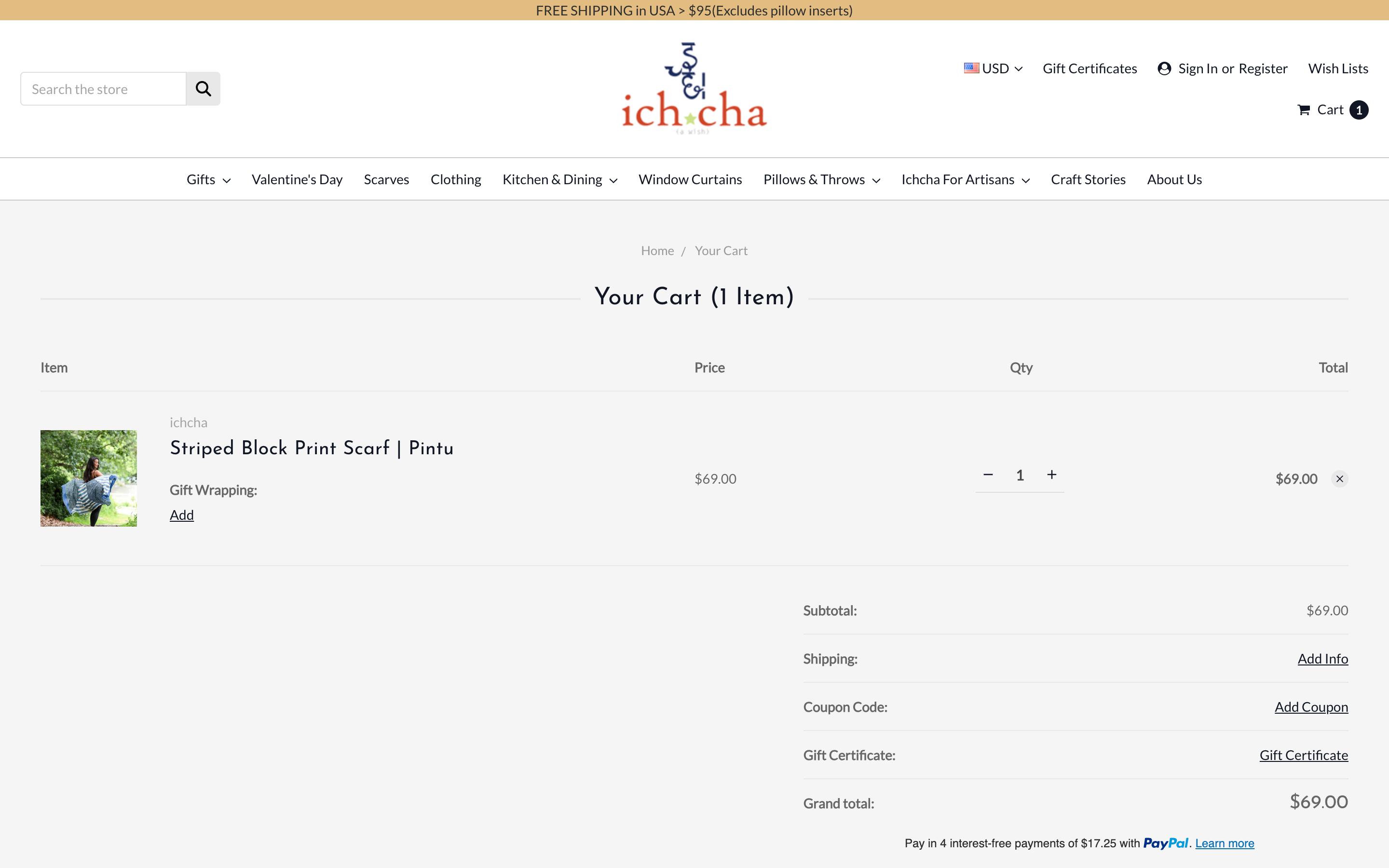
Cart page before the free shipping progress bar was added.
Approach
Flair built a free shipping progress bar using BigCommerce template helpers and logic, which:
-
Dynamically calculates the remaining spend toward free shipping.
-
Shows a progress bar and truck icon that fills as the cart subtotal approaches the threshold.
-
Displays a success message when free shipping is reached.
-
Updates across the mini cart dropdown, cart preview, and cart page, excluding specific customer groups.
-
Includes a theme setting so the store team can adjust the free shipping threshold in the future.
This approach delivers real-time visual feedback to shoppers, encourages higher cart values, and remains maintainable.
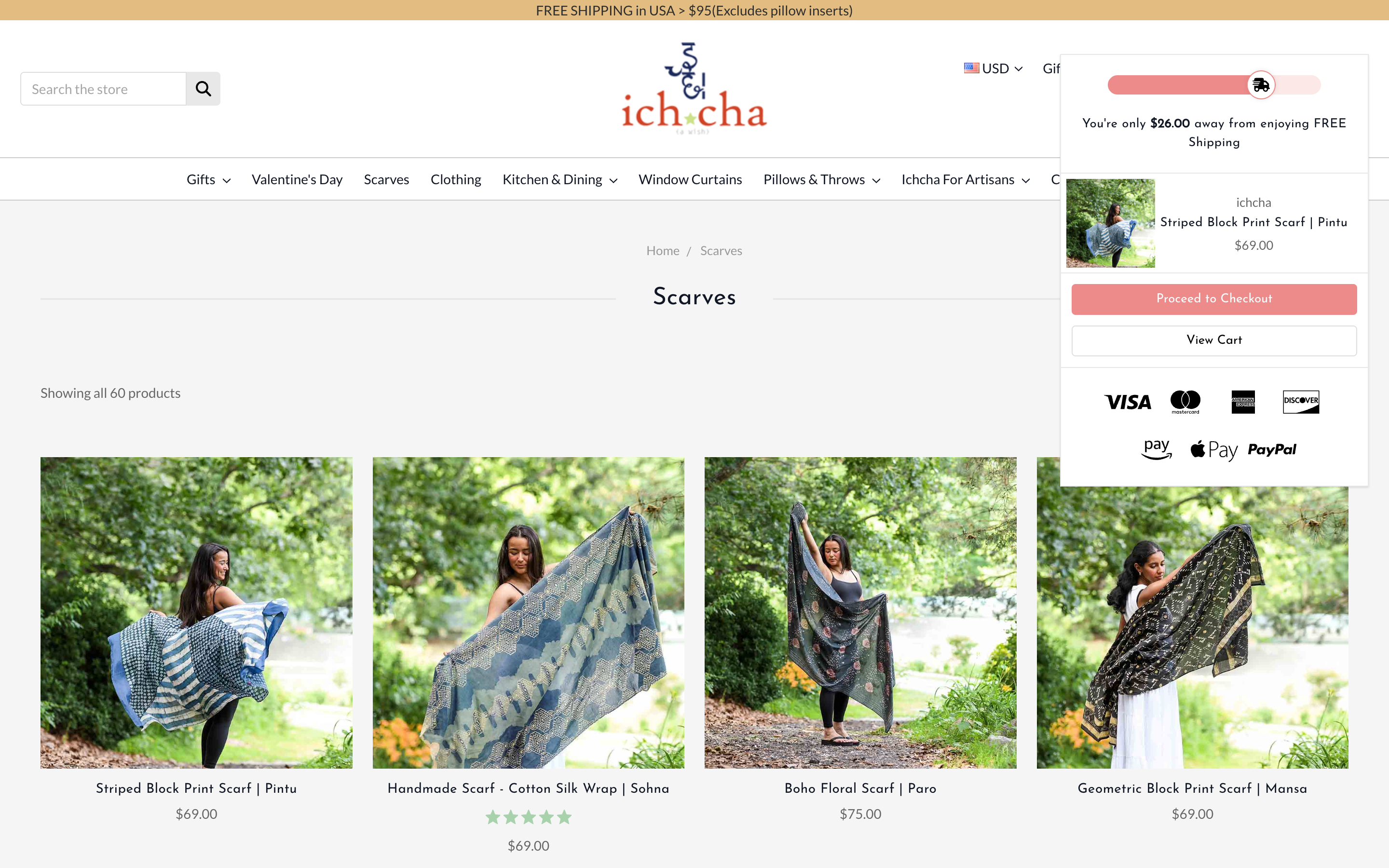
Free shipping progress bar displayed in the mini cart dropdown.
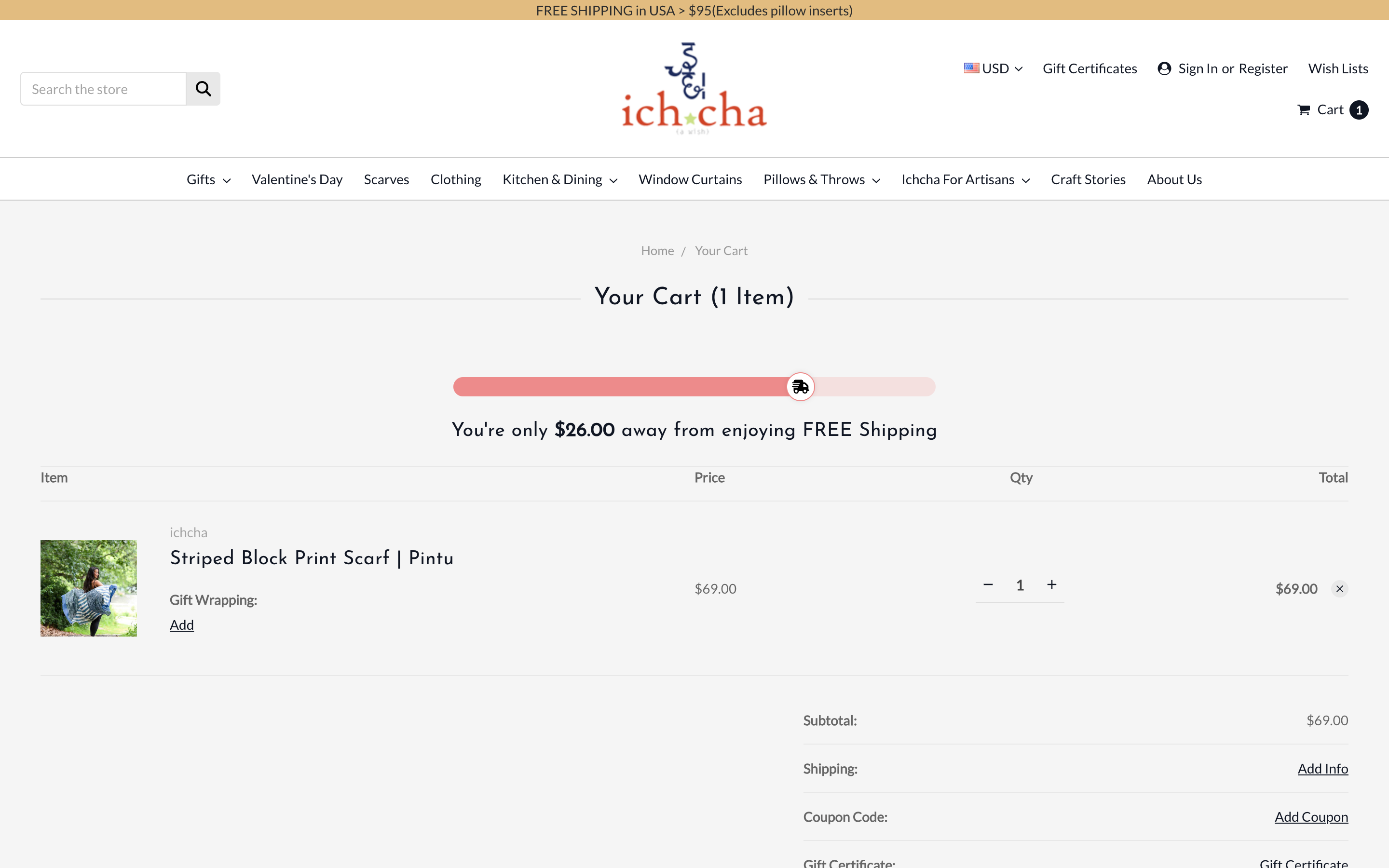
Free shipping progress bar displayed on the cart page, showing remaining amount to free shipping.
Outcome
-
Shoppers can see their progress toward free shipping in multiple cart displays.
-
Encourages larger cart values by showing exactly how much more to spend.
-
No additional JavaScript needed, faster and more maintainable.
-
Customisable via a theme setting for the free shipping threshold.
-
Excludes specific customer groups, giving control over which shoppers see the progress bar.
This solution improved shopper awareness, helped increase order value, and created a seamless experience across all relevant cart displays.