
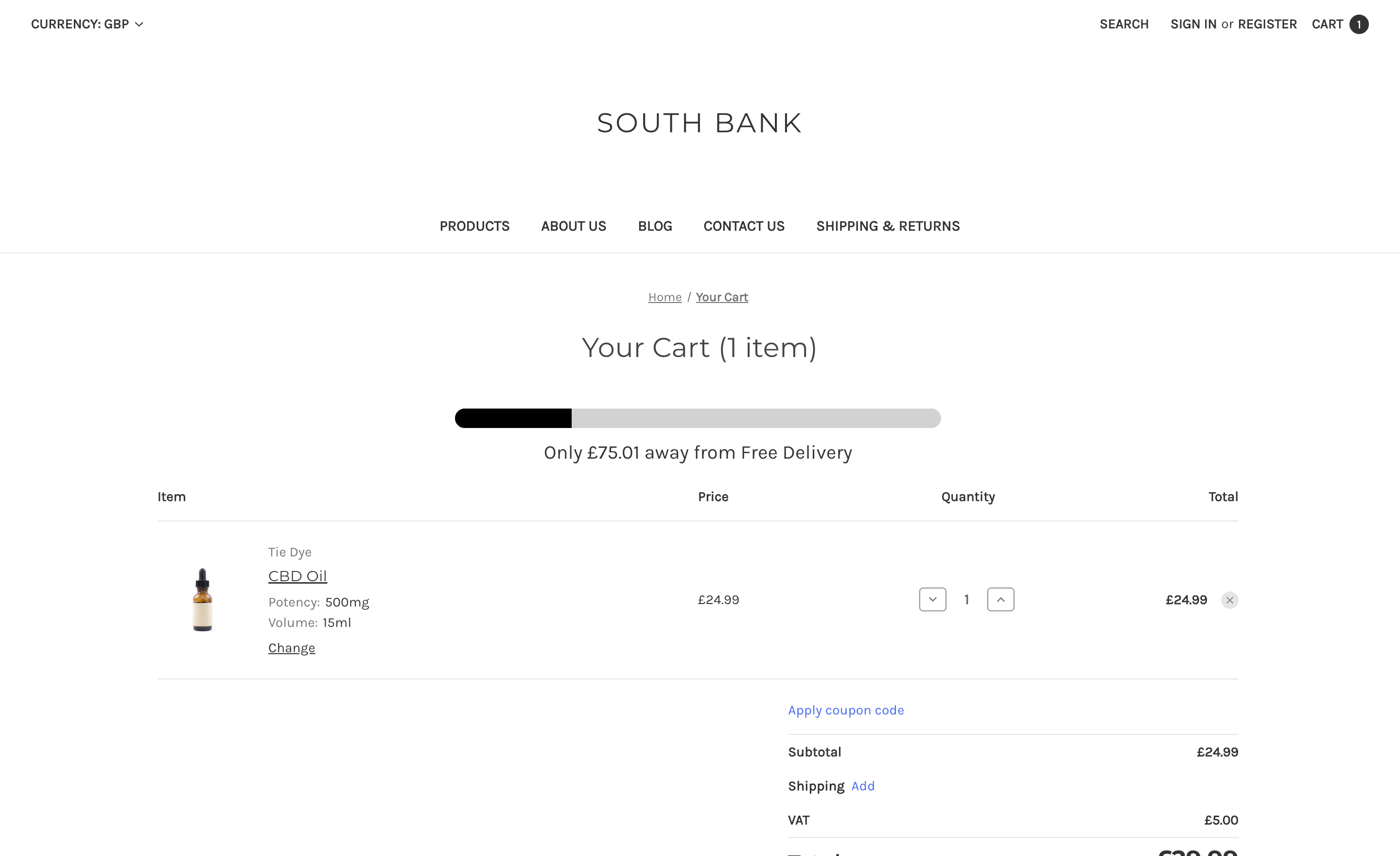
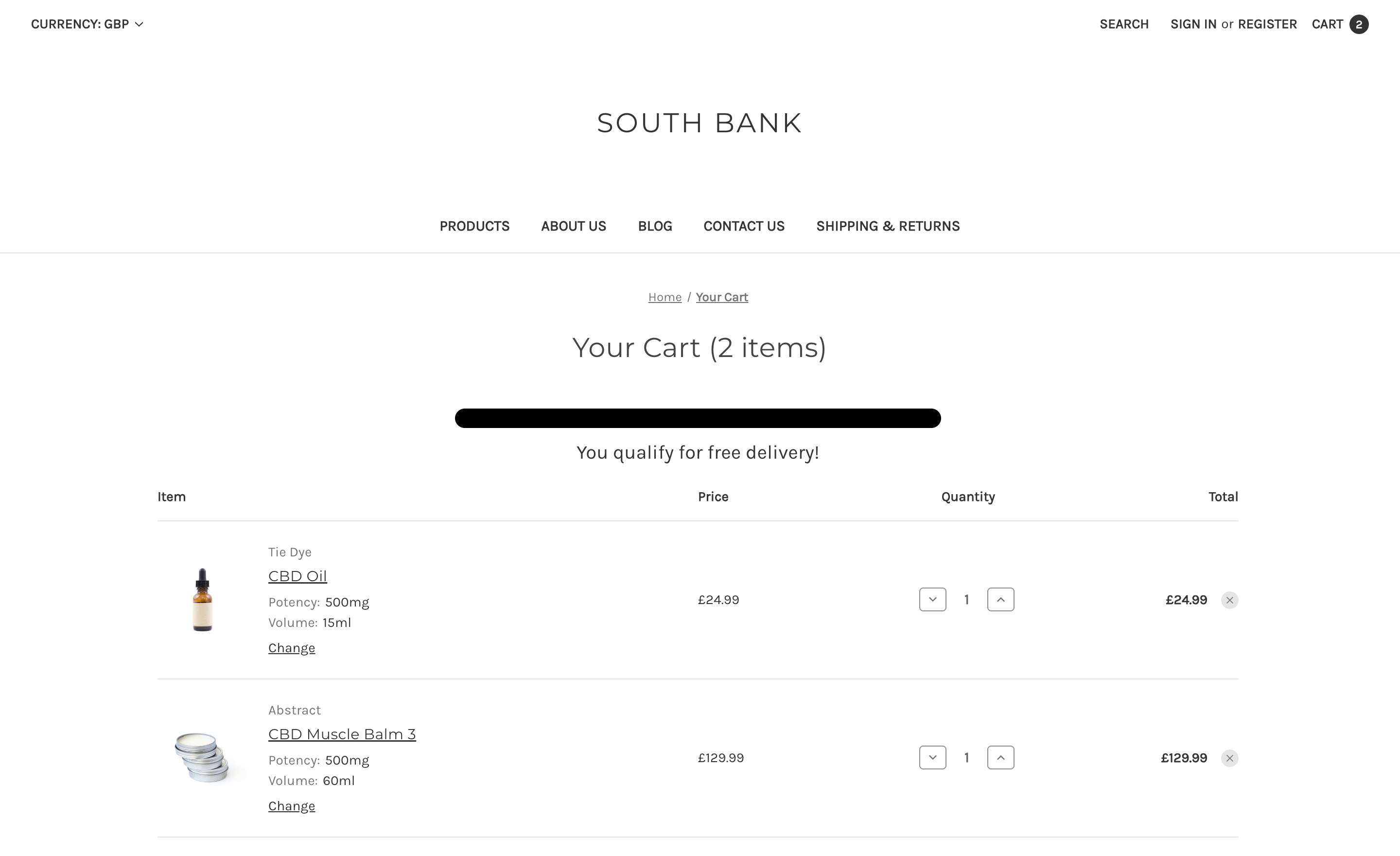
Shoppers like free shipping, but they don’t always know how close they are to qualifying. In our previous case study, we showed how Ichcha could increase order values by adding a free shipping progress bar. Shoppers could see exactly how much more they needed to spend, helping encourage larger carts.
We’ve now created a free version of this progress bar that you can add to your BigCommerce store to improve shopper awareness and support higher cart values. The default free shipping threshold is 100, but it can be adjusted by editing the template.
Why It Matters
Without a visual cue, customers often have to calculate the remaining spend themselves. This can lead to smaller orders or abandoned carts. A progress bar solves this by:
- Showing shoppers how much more they need to spend to reach free delivery
- Updating automatically as items are added
- Displaying a message when the threshold is reached
Free Shipping Progress Bar in Action
Partially Filled Progress Bar on Cart Page
Progress Bar Reaches Free Shipping on Cart Page
Free Shipping Progress Bar Code
Add the HTML to the top of your template:
File: templates/components/cart/content.html
{{assignVar "effectiveTotal" (subtract cart.sub_total.value cart.total_discount.value)}}

{{#if (getVar "effectiveTotal") '>=' 100}}
    <div class="progress-bar-section">
        <div class="progress-bar">
            <div class="progress" style="width: 100%;"></div>
        </div>
        <p class="progress-bar-text">You qualify for free delivery!</p>
    </div>
{{else}}
    {{assignVar "progressPct" (multiply (divide (getVar "effectiveTotal") 100) 100)}}
    <div class="progress-bar-section">
        <div class="progress-bar">
            <div class="progress" style="width: {{toInt (getVar "progressPct")}}%;"></div>
        </div>
        <p class="progress-bar-text">
            Only {{settings.money.currency_token}}{{toFixed (subtract 100 (getVar "effectiveTotal")) 2}} away from Free Delivery
        </p>
    </div>
{{/if}}
Add the CSS to an appropriate CSS file in your theme:
.progress-bar-section {
    font-size: 20px;
    margin-bottom: 20px;
    text-align: center;
}

.progress-bar-text {
    margin: 10px 0 0;
}

.progress-bar {
    margin: auto;
    background-color: rgba(0, 0, 0, 0.2);
    border-radius: 30px;
    overflow: hidden;
    height: 20px;
    max-width: 500px;
}

.progress {
    height: 100%;
    background-color: #000000;
}
Upgrade Options
- Placement across all cart areas (mini cart dropdown, cart preview, cart page)
- Extra styling, including colours, icons, gradients, and more
- Integration with the theme editor to set the free shipping threshold
- Option to show or hide the progress bar for specific customer groups
These are just some of the ways we can extend the feature.